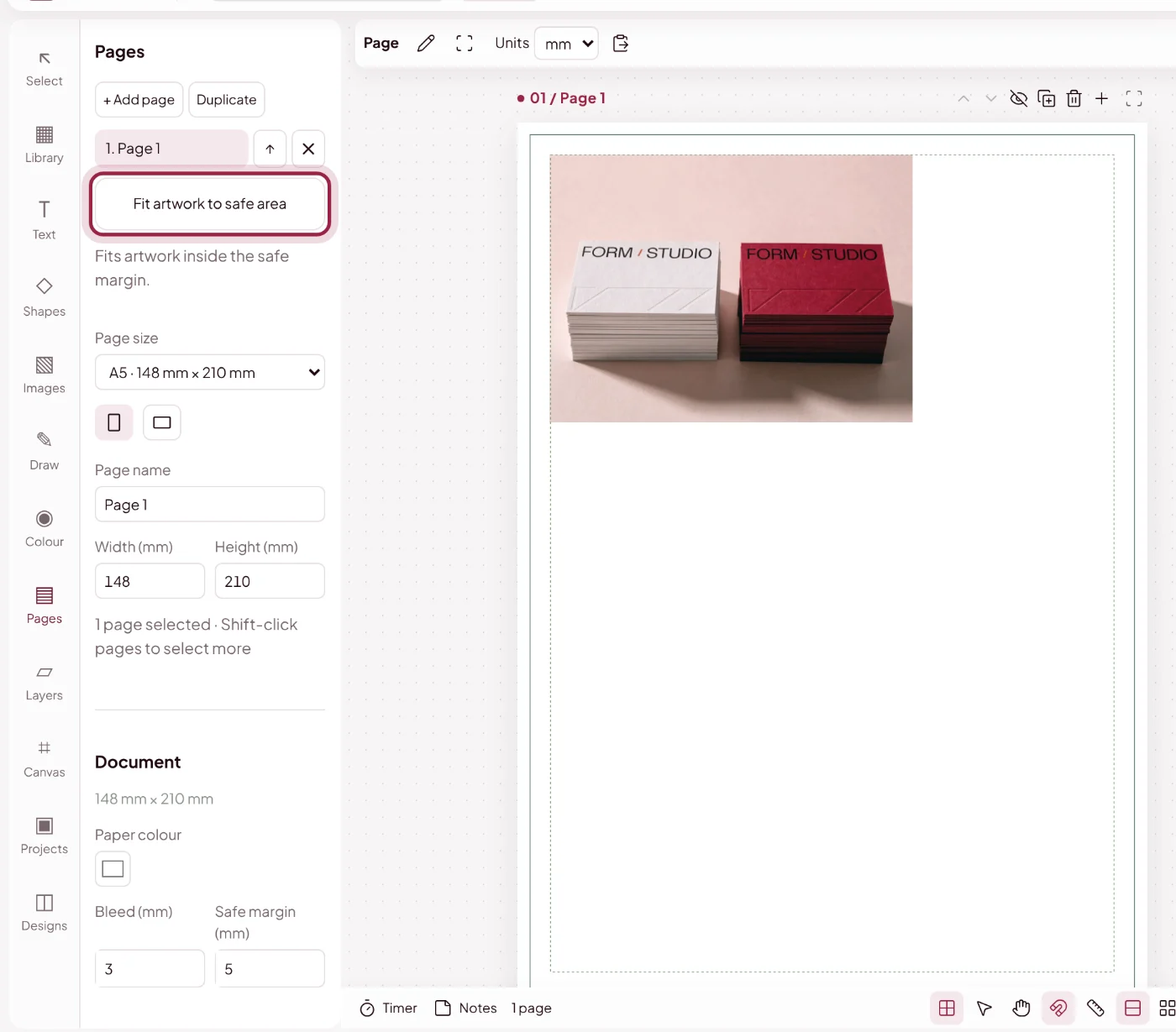
Bleed and safe area, explained
Let backgrounds reach the edge. Give text room to breathe.
What Are Bleed and the Safe Area?
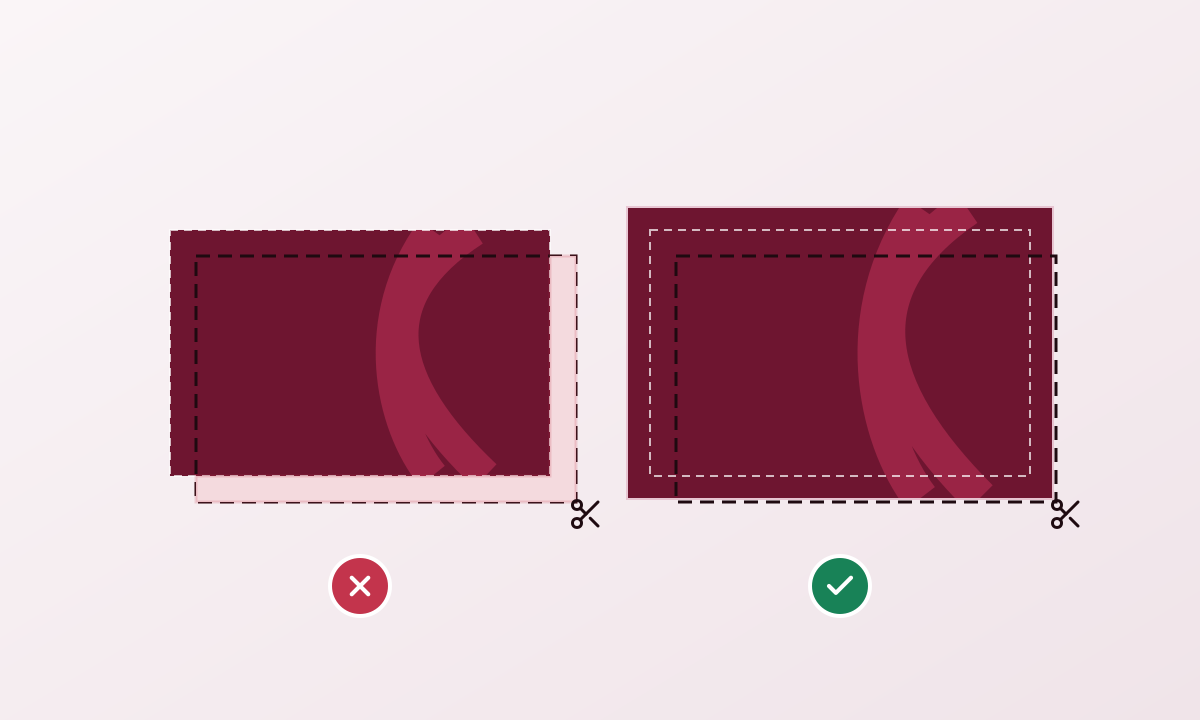
Bleed extends artwork beyond the trim edge so small cutting variations do not leave a white border. A safe margin keeps important text and logos away from that edge.
Which Bleed and Safe Margin Should I Use?
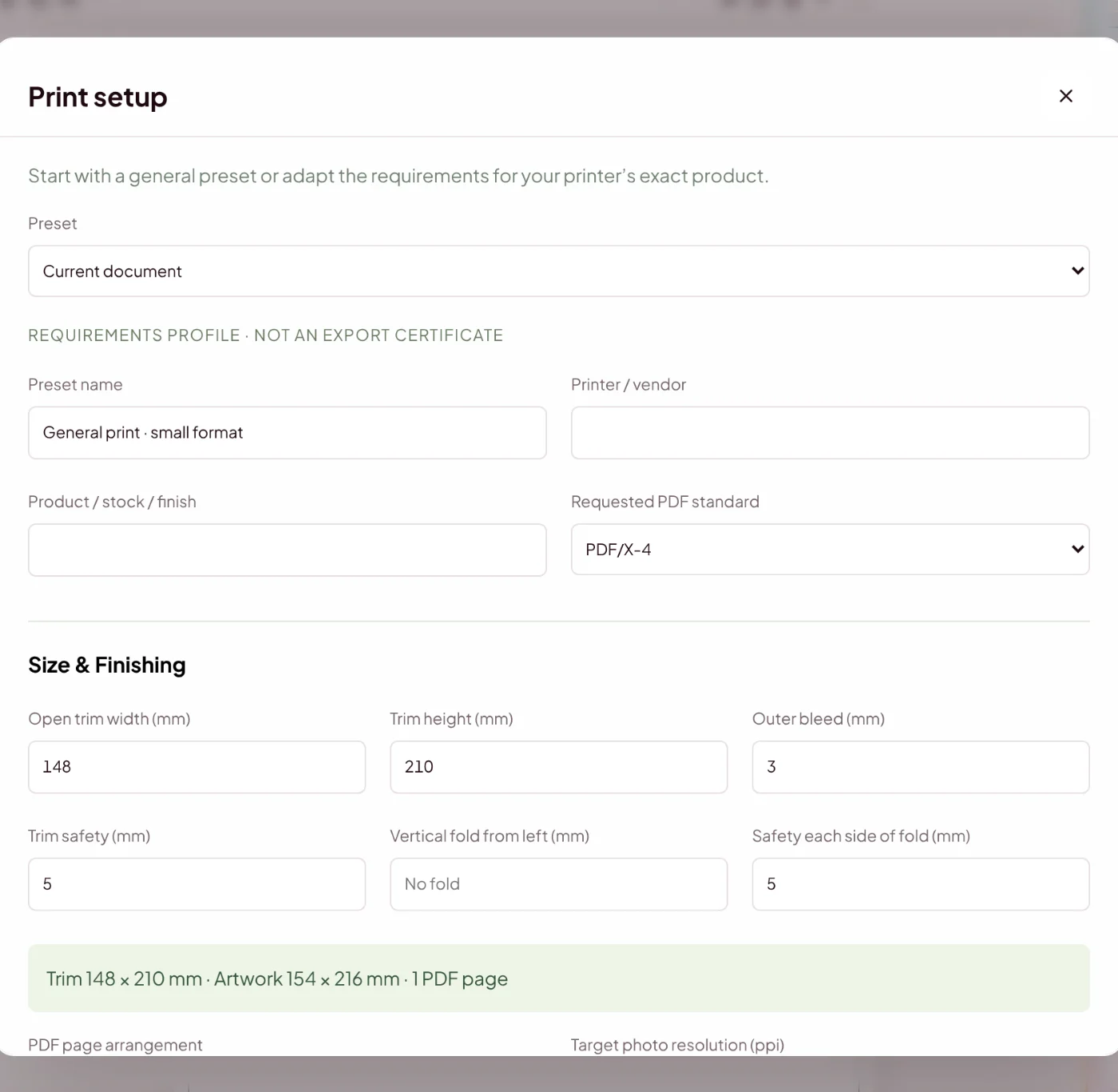
Always use your printer’s requirements. The default 3 mm bleed and 5 mm safe margin are starting values, not a rule for every product.
How Does Fit to Safe Area Work?
Fit to safe area adjusts only objects that need it. With a selection, it targets selected objects; without one, it reviews the page and preserves edge-to-edge backgrounds.