
Work with fonts and text
Choose a family, style, size and alignment.
How Do I Choose a Font?
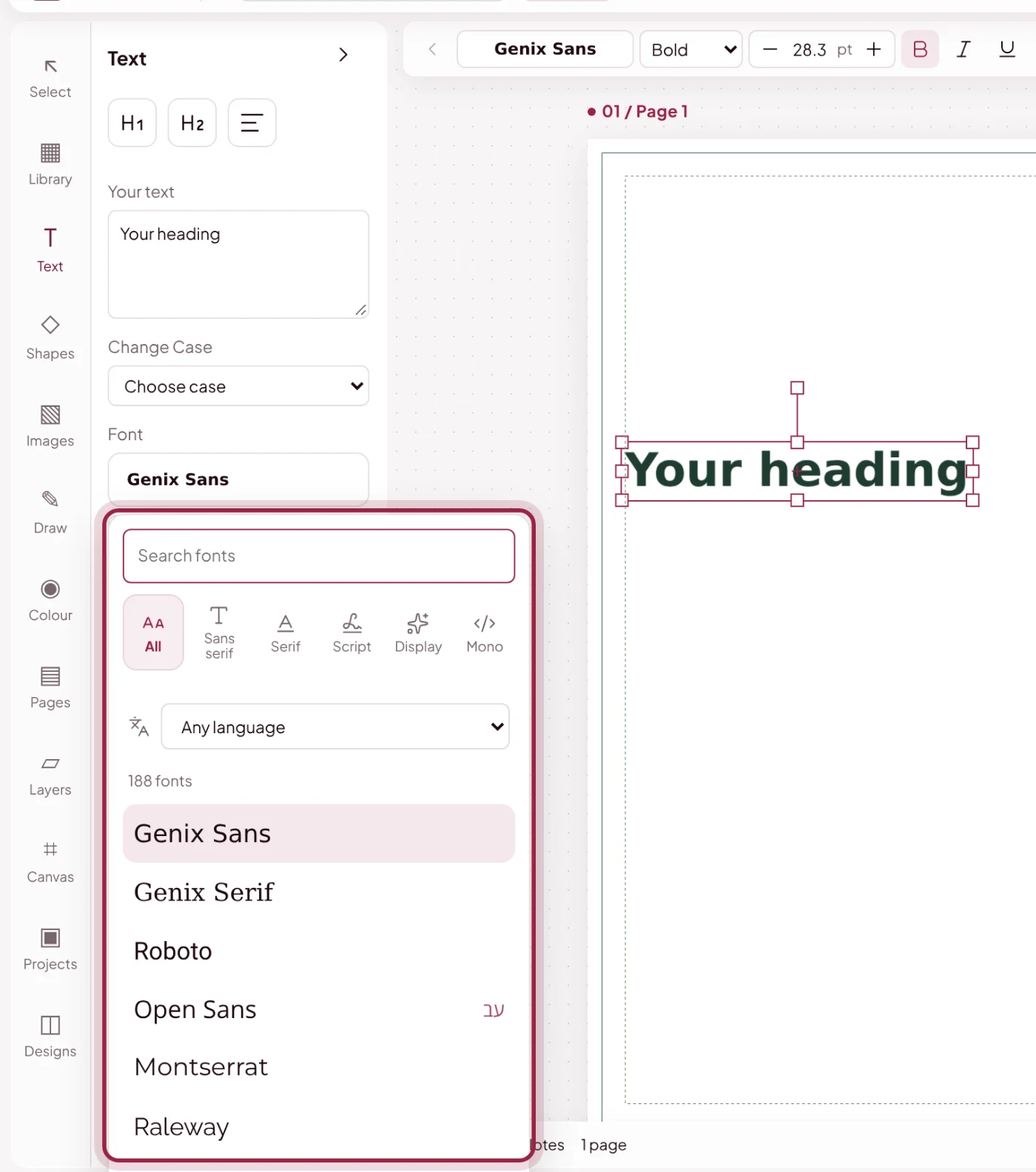
Press T to select the text tool when you are not typing in a field. The font chooser previews font families; choose the weight in the adjacent style box.
How Do I Change Size, Spacing and Alignment?
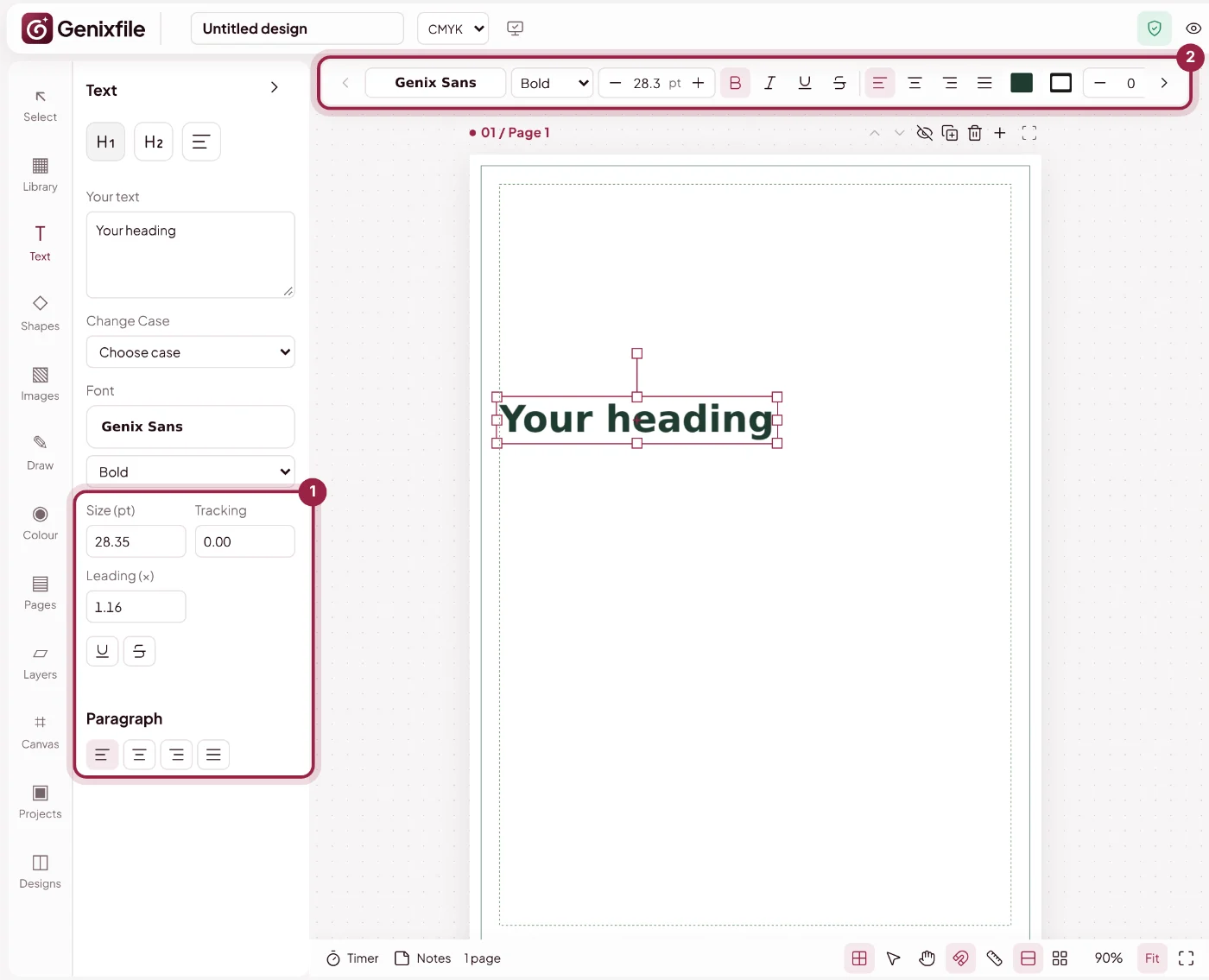
Corner handles resize selected text. The Text panel on the left has size, tracking, leading and paragraph alignment, and the toolbar above the page has quick font, size and style controls.
What Is Genix Sans?
Genix Sans is a legacy font label based on DejaVu, not an original Genixfile typeface. The website interface uses Plus Jakarta Sans.